



Quick Search
Digital Drawing Tablet
Drawing Monitor
3D Printer
Accessories
Support
Language
Please select your country/region
North America
South America
Oceania
Europe
Quick Search
Digital Drawing Tablet
Drawing Monitor
3D Printer
Accessories
Support
Please select your country/region
North America
South America
Oceania
Europe
The printer connected and worked normally at home, but can't connect when you change location (e.g., at a friend's house)?
The printer is controlled via WiFi. When you change location, the WiFi is also new, so you need to reconnect to the new WiFi;
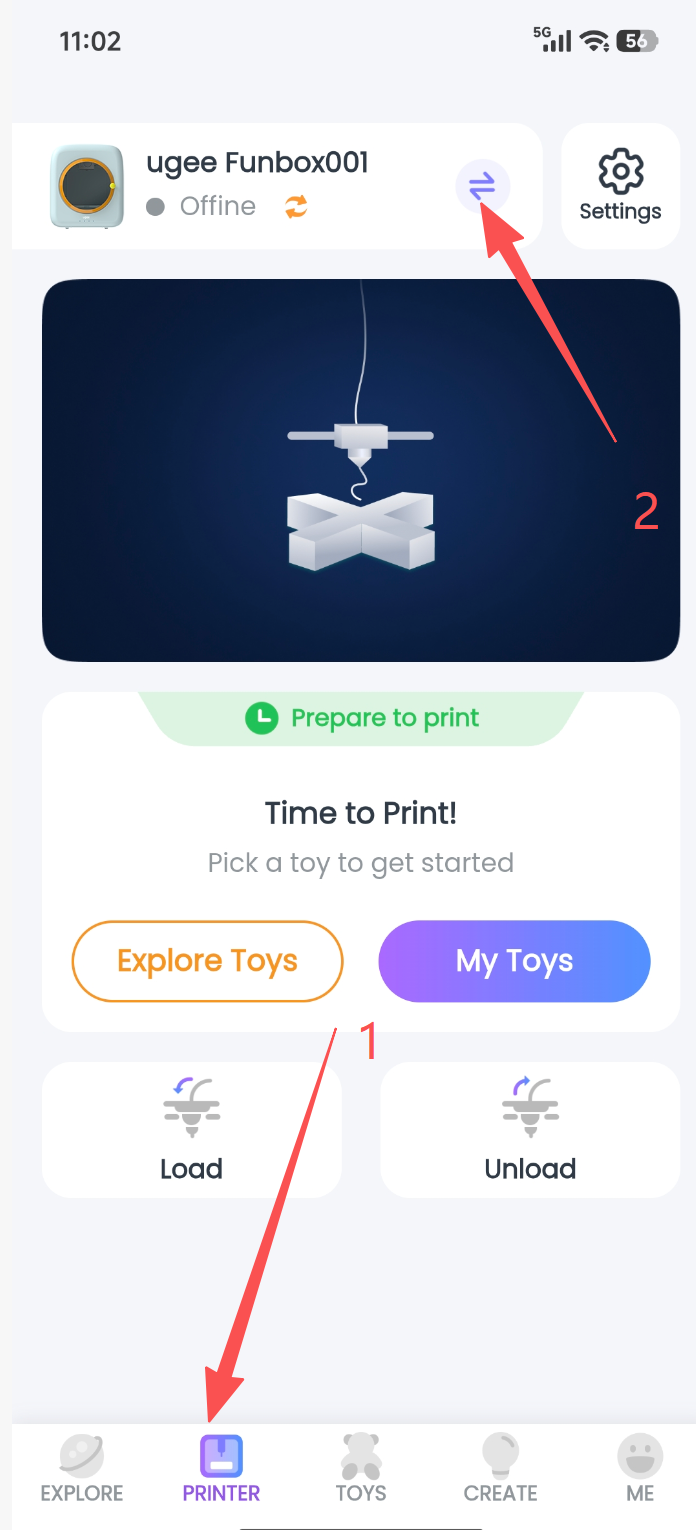
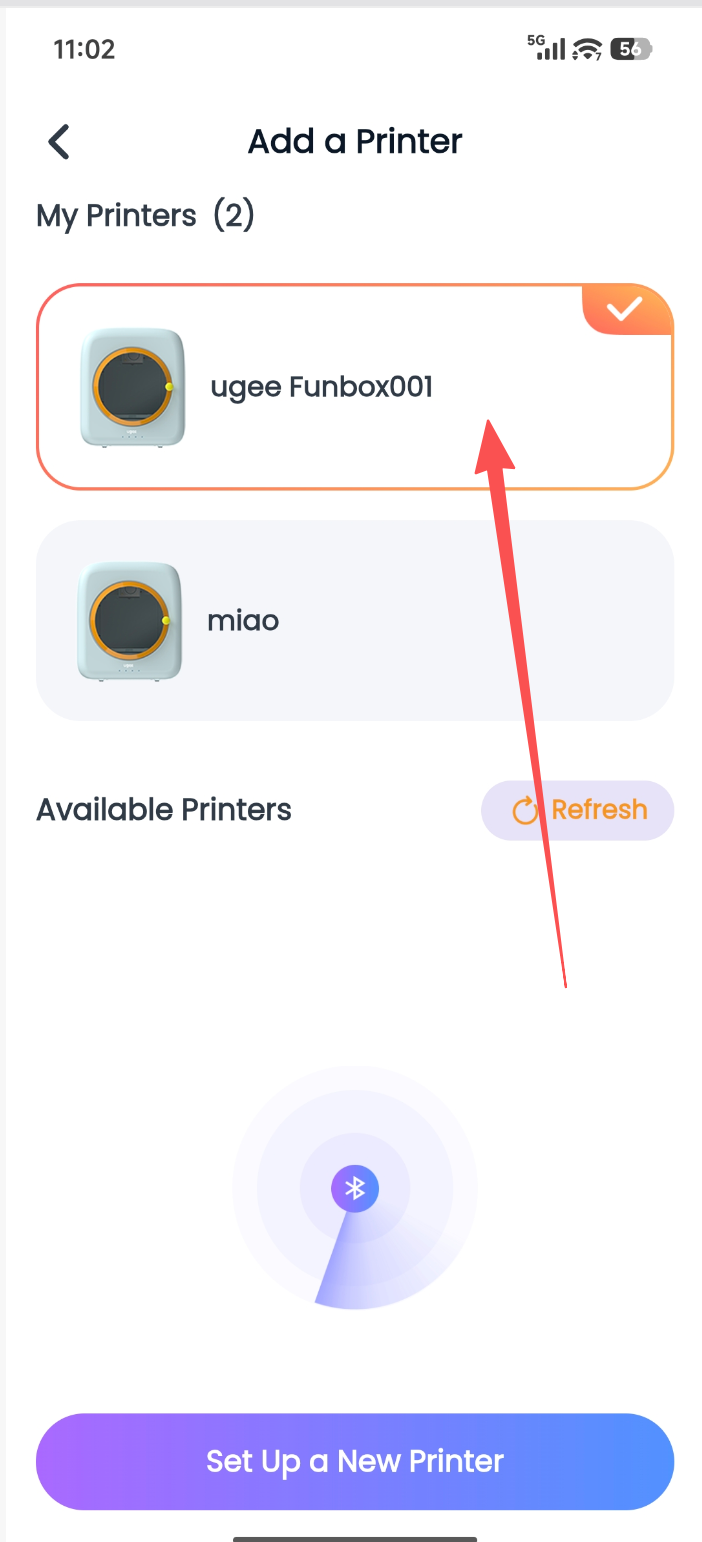
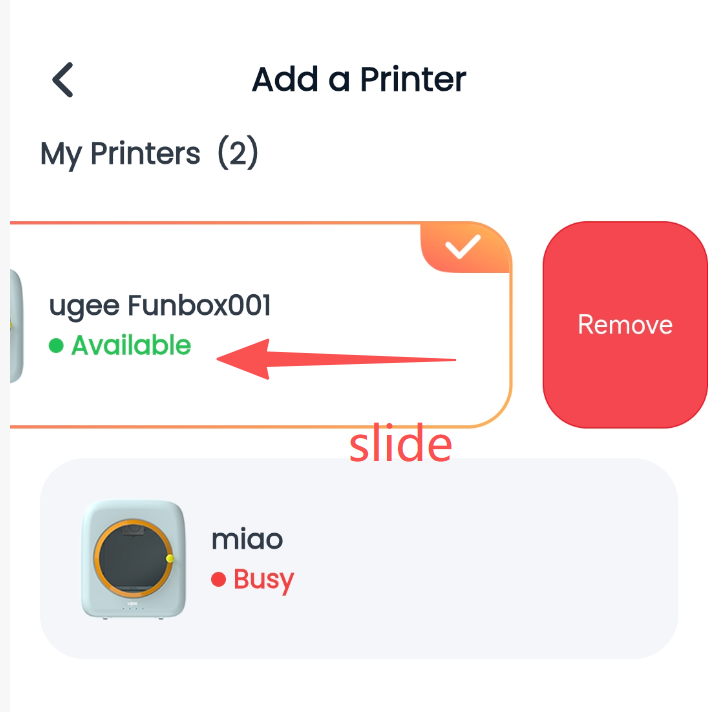
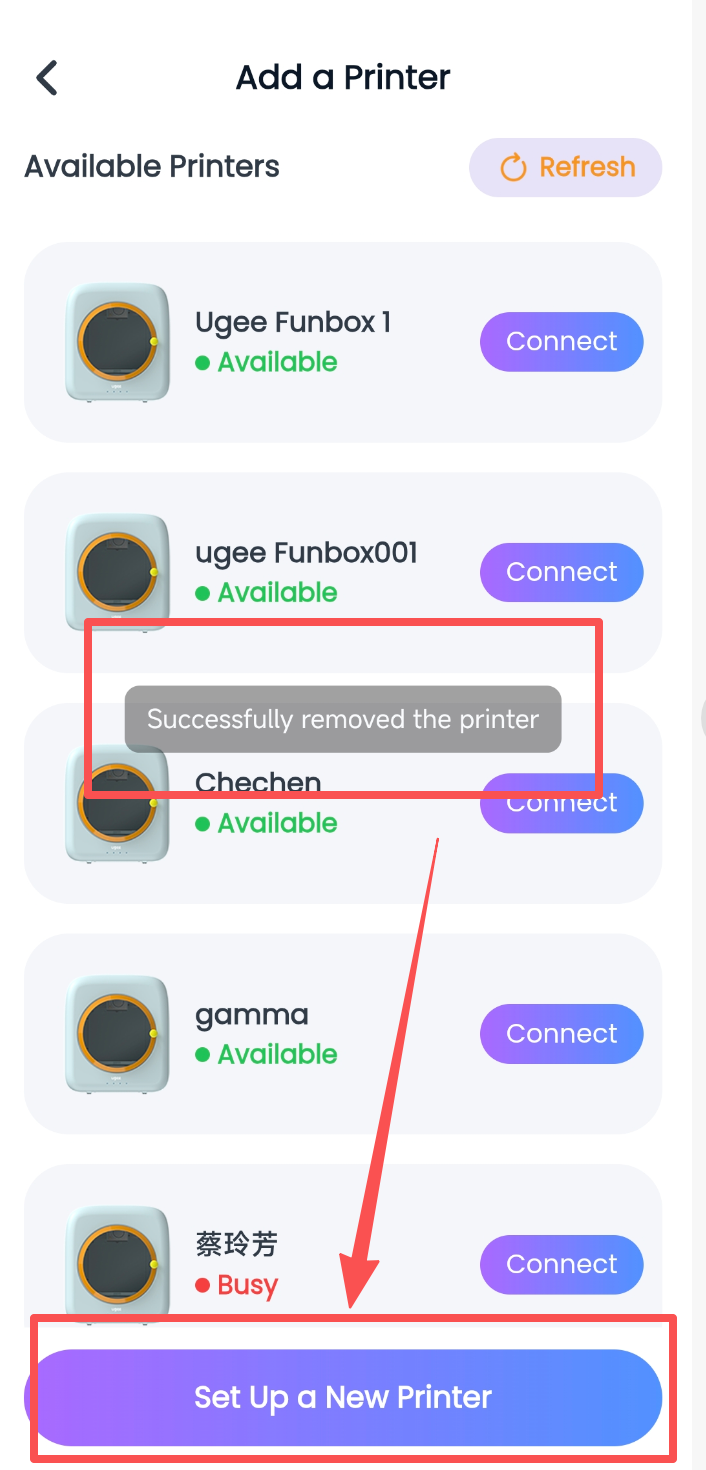
Step 1: Go to the Device page, tap the Switch button to enter the Add Printer page, find My Printer List, and swipe left to unbind the printer that was bound at home;
Step 2: Tap the Configure New Printer button and go through the corresponding steps again following the printer connection process;
Please select your country/region
North America
South America
Oceania
Europe