


Recherche rapide
Tablette à dessin numérique
Moniteur de dessin
Imprimante 3D
Language
Choisir votre région et pays
North America
South America
Oceania
Europe
Recherche rapide
Tablette à dessin numérique
Moniteur de dessin
Imprimante 3D
Choisir votre région et pays
North America
South America
Oceania
Europe
I want to import other models besides those in the app. How should I do it?
① Importing new models on mobile:
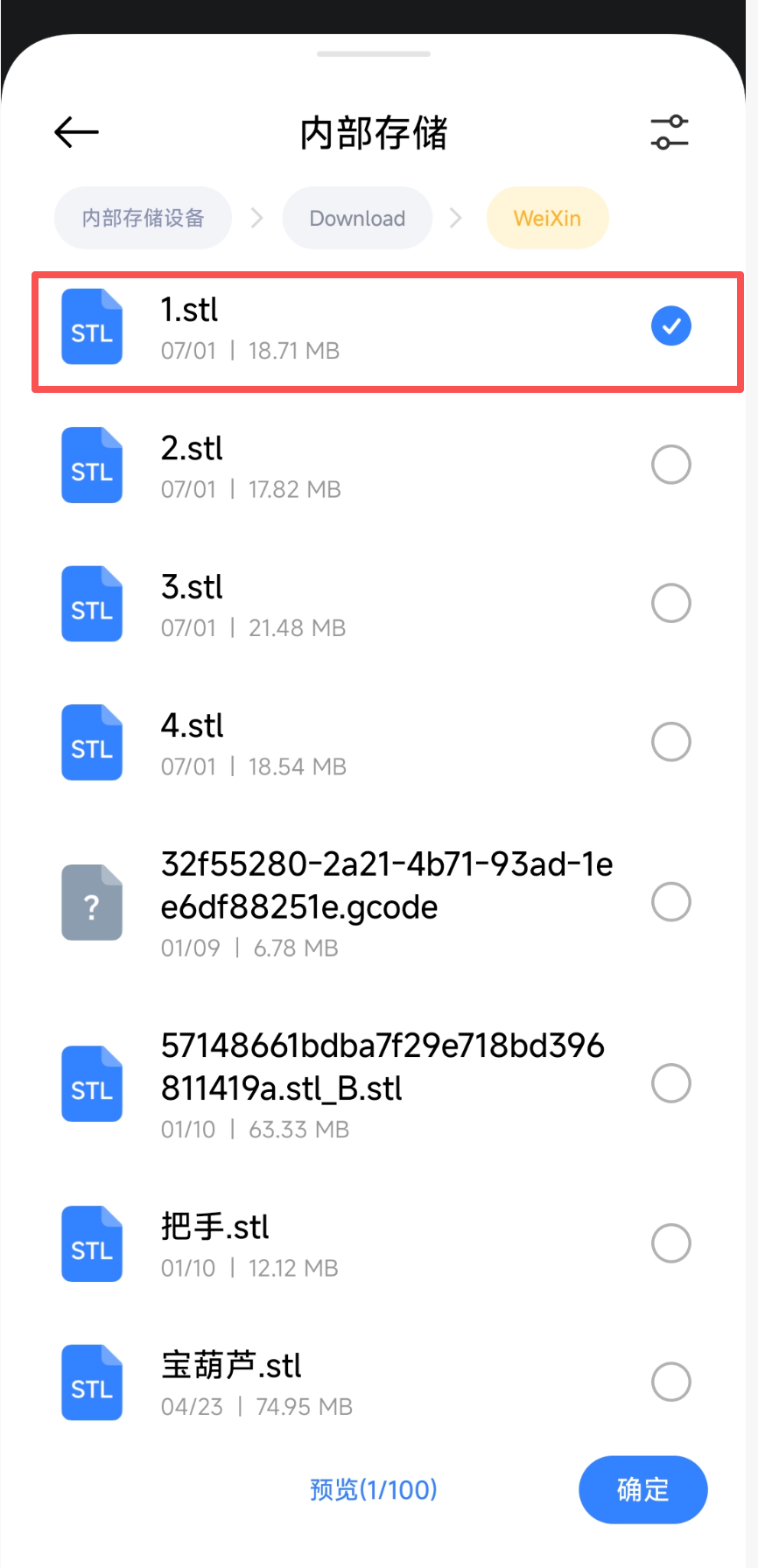
Supports importing .stl format models for printing (currently only this format is supported, and the file size must be under 20MB).
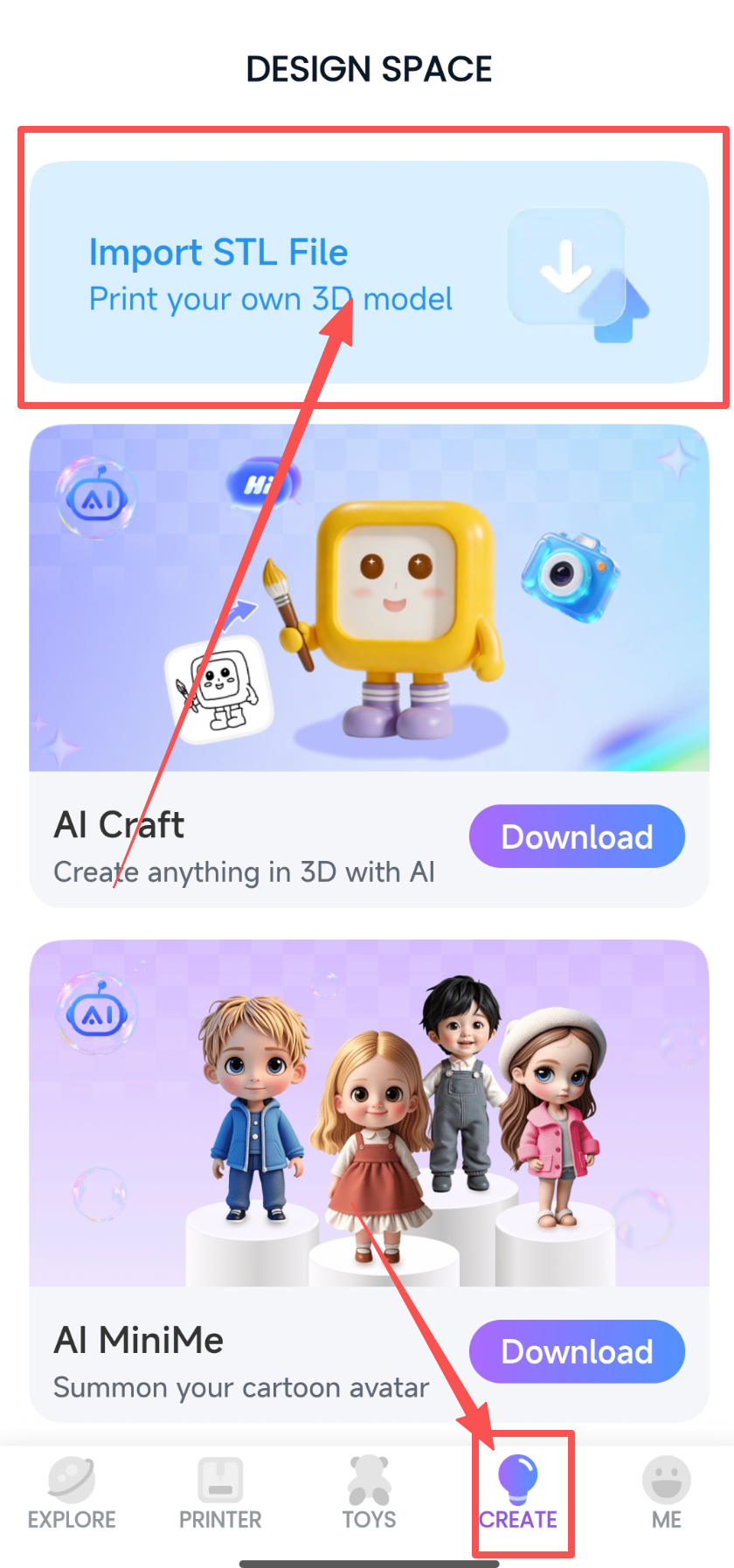
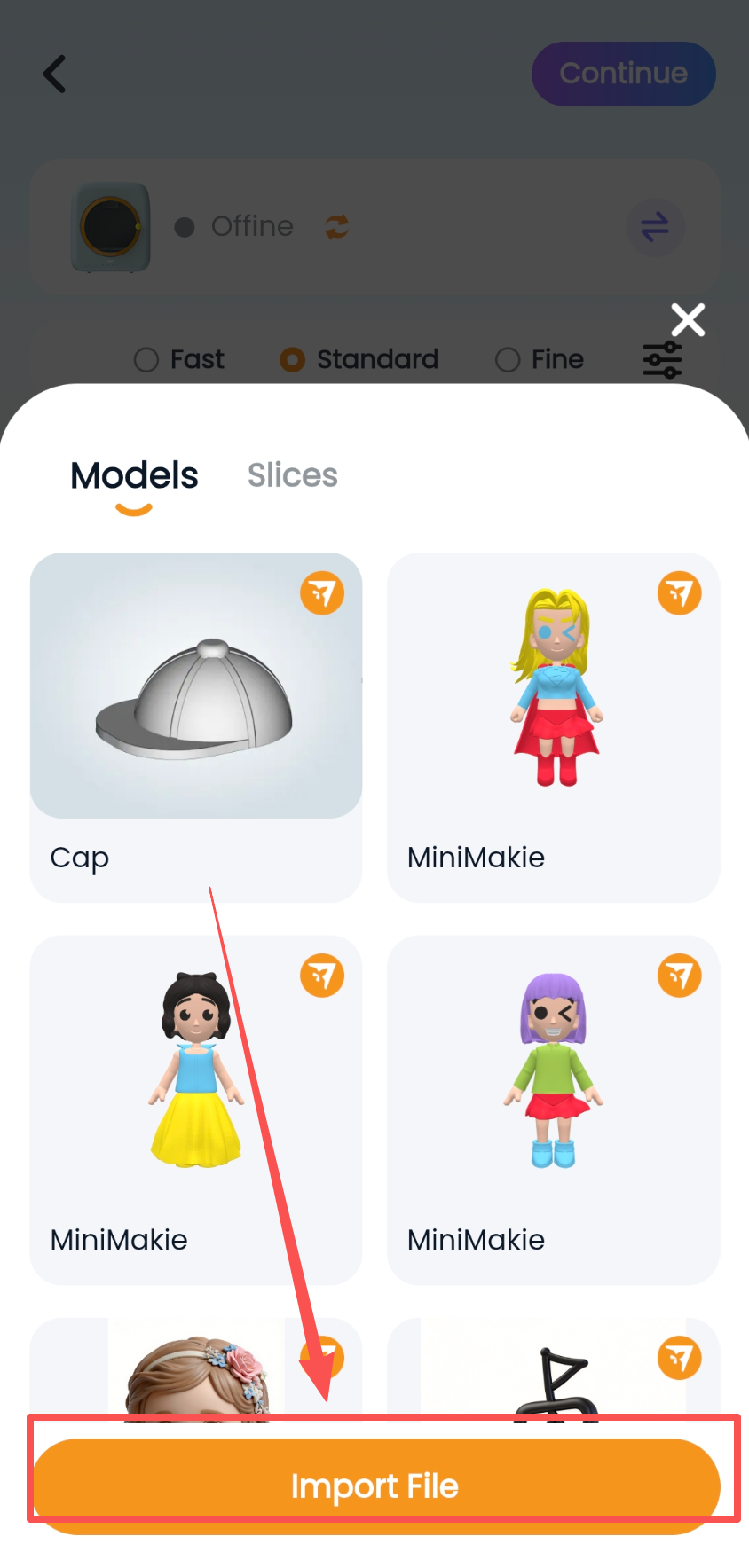
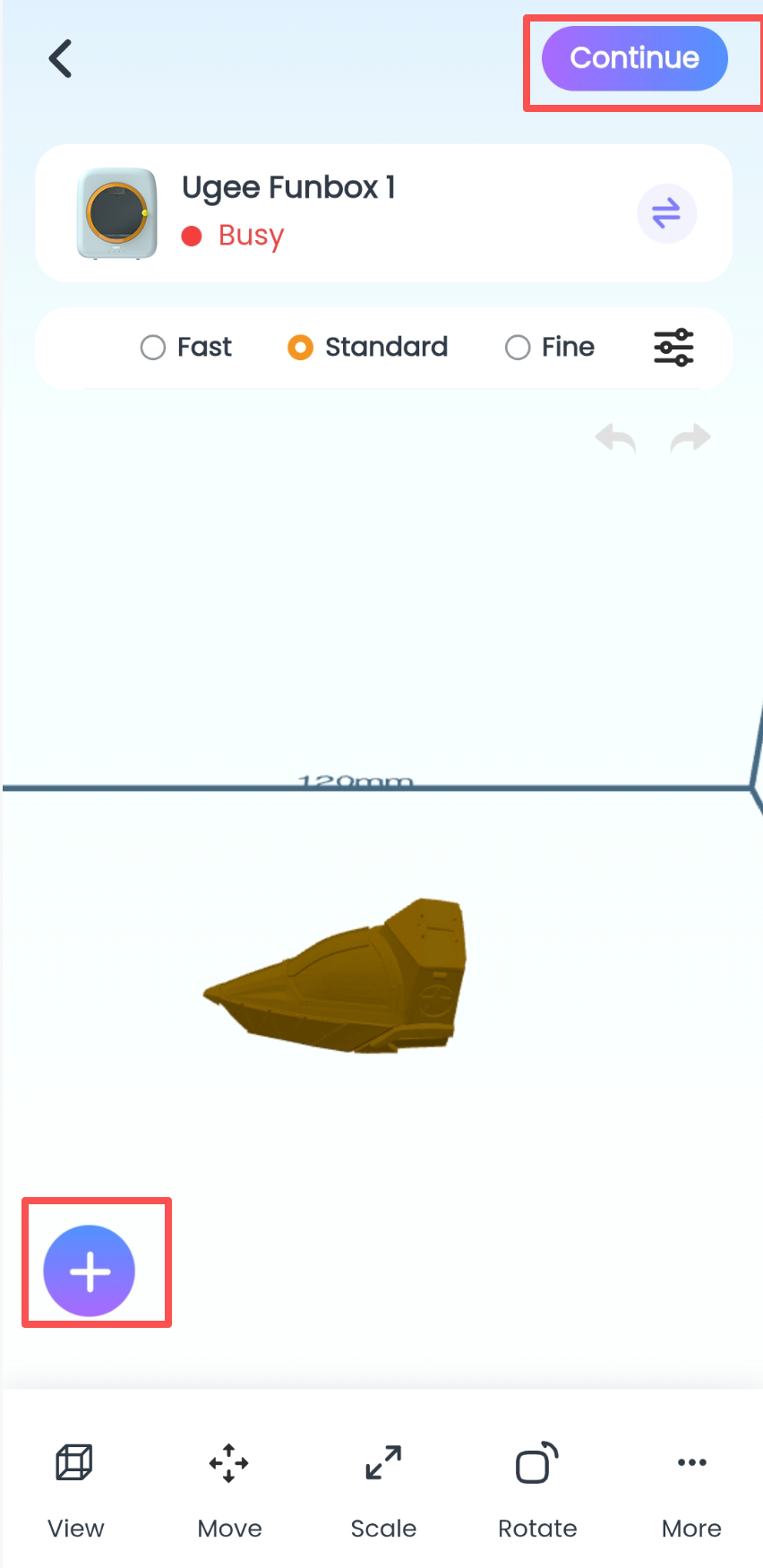
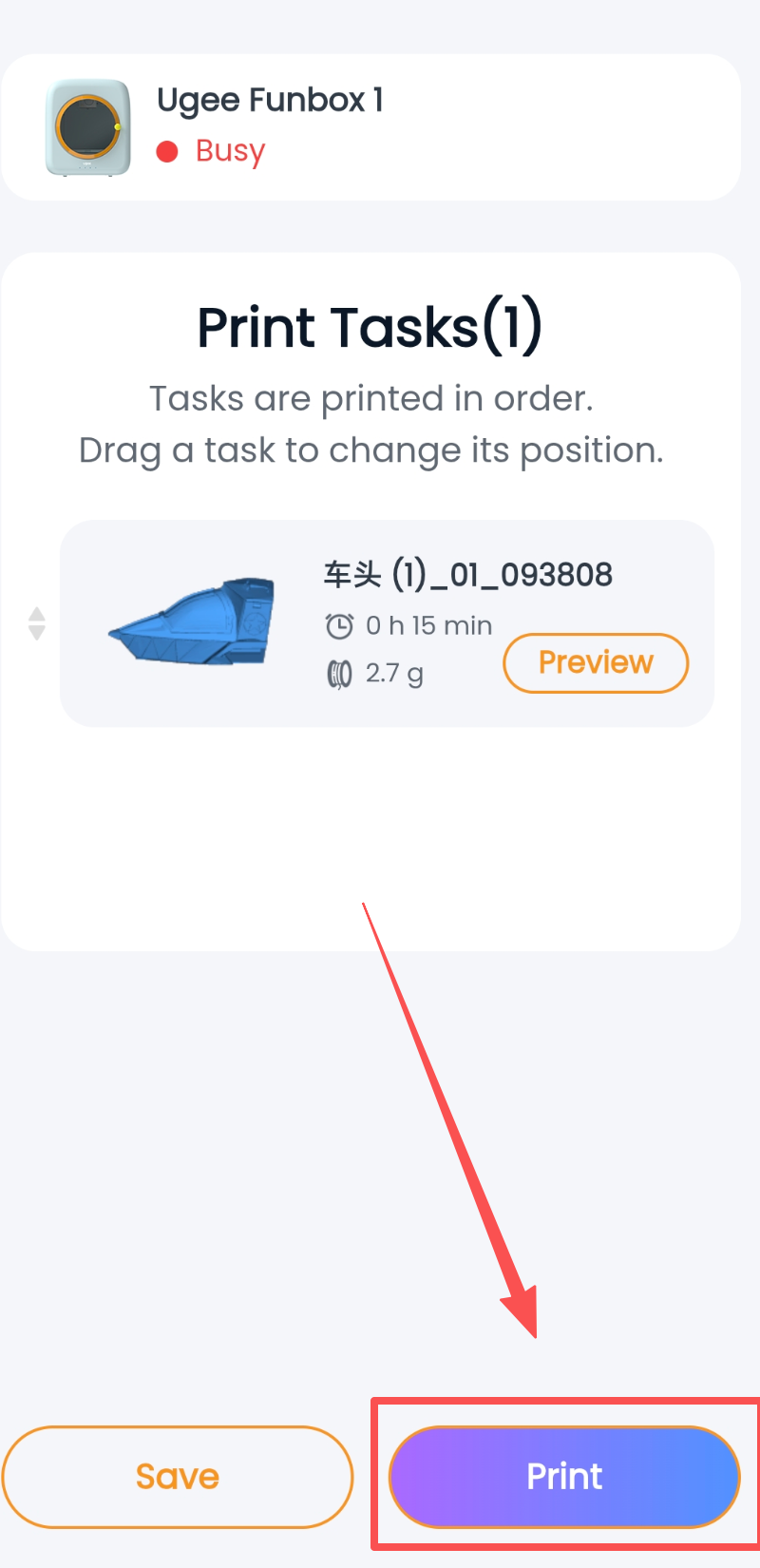
Process: Tap the "Create" button at the bottom --> select the "Import 3D File" button --> select the "Import Local Model" button --> select the STL file format --> tap the "Confirm" button in the bottom right corner --> enter the 3D edit preview page --> if you need to import another model, tap the "+" button in the bottom left corner --> when you confirm you want to print, tap the "Next" button in the top right corner to start printing.
② Model import function on Tablet + PC
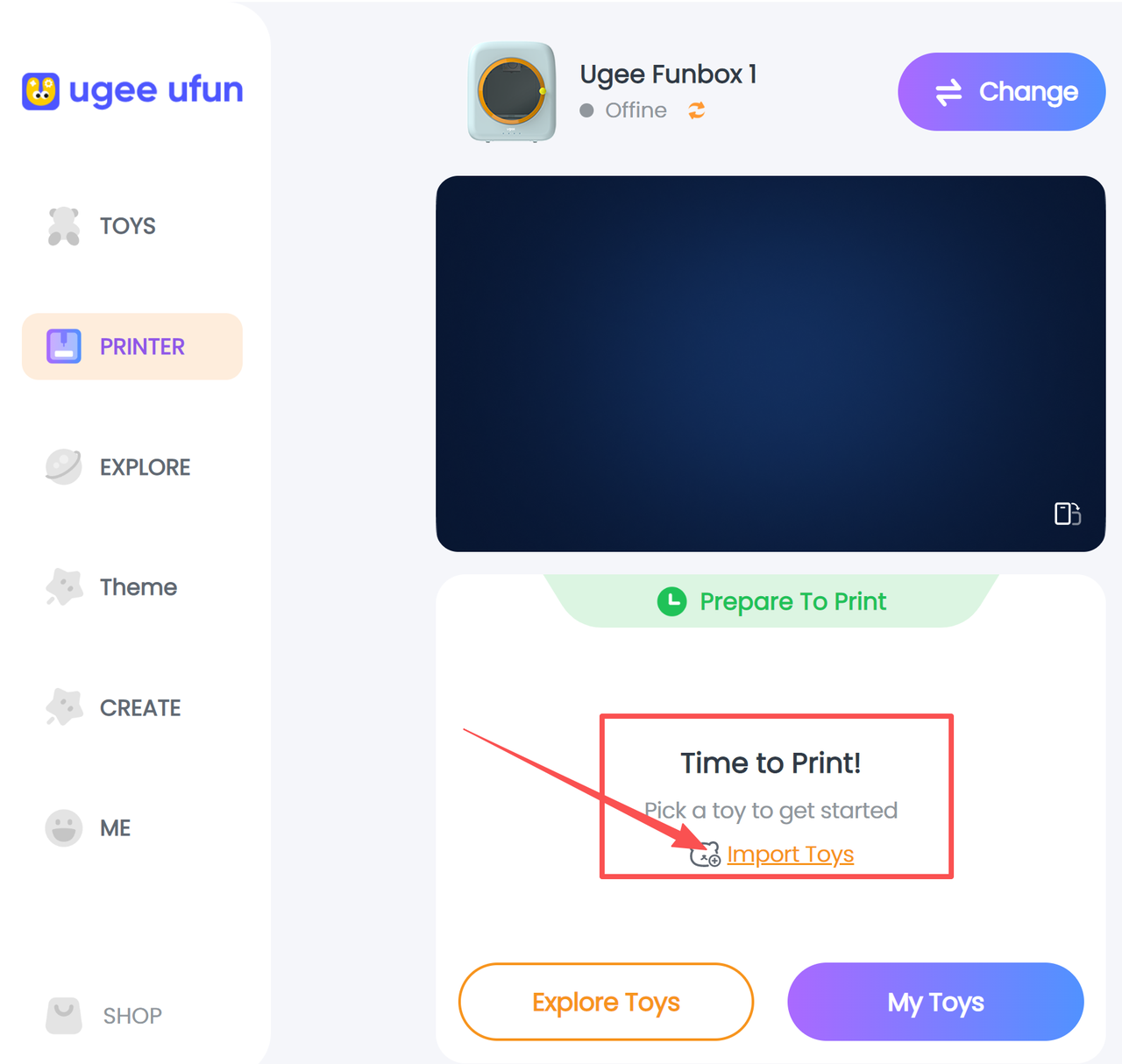
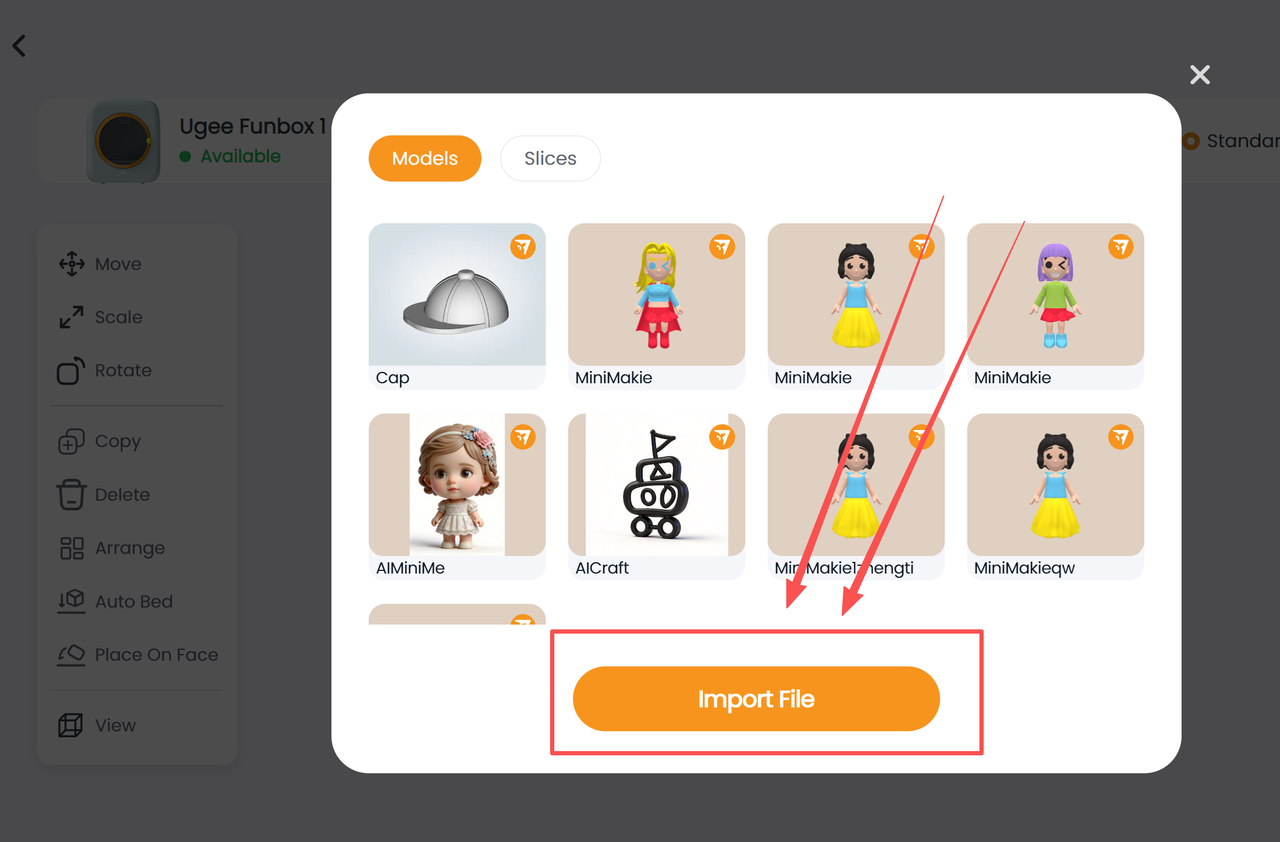
Tap Printer. The model import button will only appear in the printer control area when the printer is idle (not printing). Tap the "Import Toy" button to import model files.
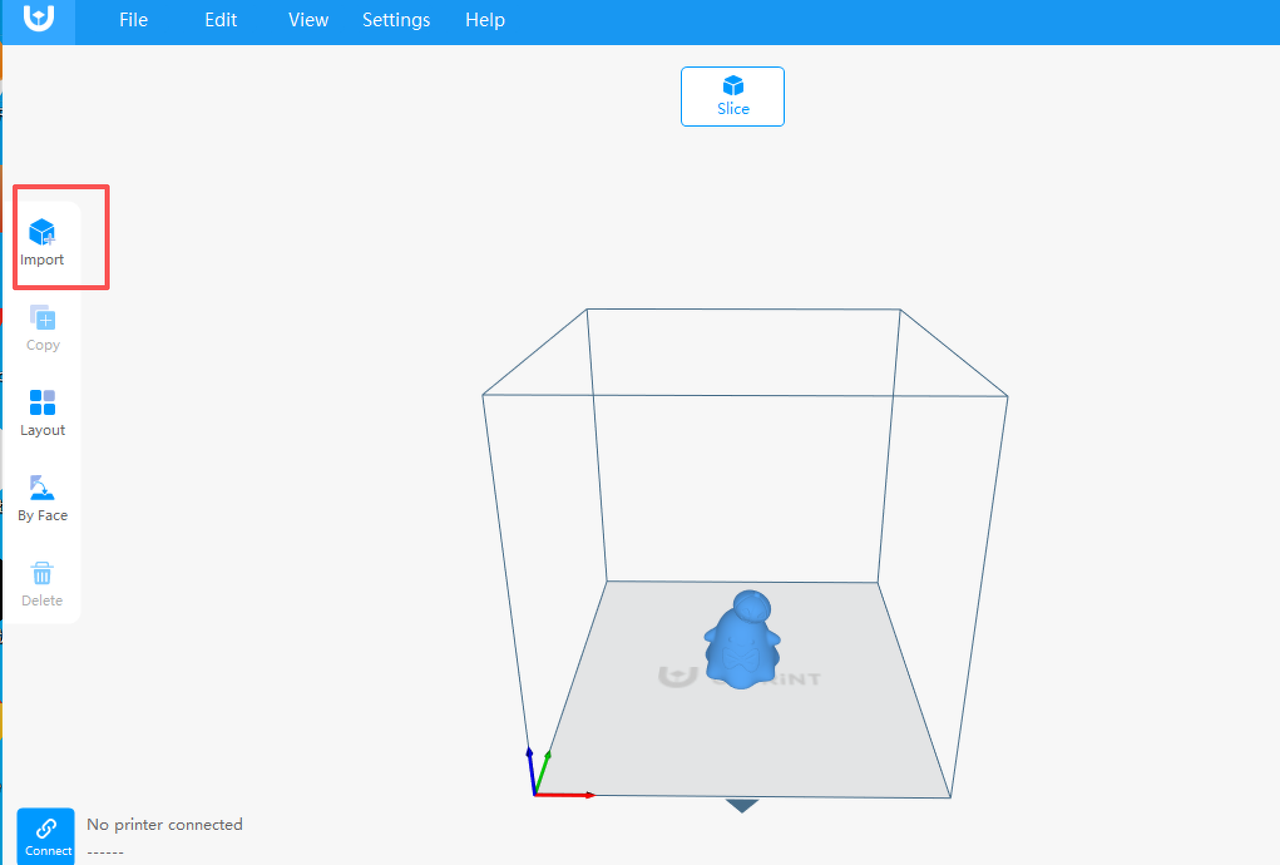
③ Importing models in slicing software U-PRiNT
U-PRiNT supports various common 3D model formats (such as STL, XSTL, OBJ, XCODE, GCODE). Whether you download models from the internet or design your own creations, you can easily import them into the software. The operation is also very simple - just click the "Add Model" button or drag files directly into the software interface.
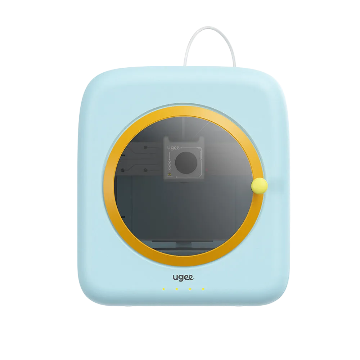
The ugee Funbox comes with companion software covering four plates, as follows:
plate | Software Name | Supported OS |
Mobile | ugee Ufun | iOS 16+, Android 11+ |
Tablet | ugee Ufun HD | iOS 16+, Android 11+ |
Slicer | U-PRiNT | Windows 10+ |
PC | ugee Ufun | Windows 10+ |
Choisir votre région et pays
North America
South America
Oceania
Europe