


Recherche rapide
Tablette à dessin numérique
Moniteur de dessin
Imprimante 3D
Language
Choisir votre région et pays
North America
South America
Oceania
Europe
Recherche rapide
Tablette à dessin numérique
Moniteur de dessin
Imprimante 3D
Choisir votre région et pays
North America
South America
Oceania
Europe
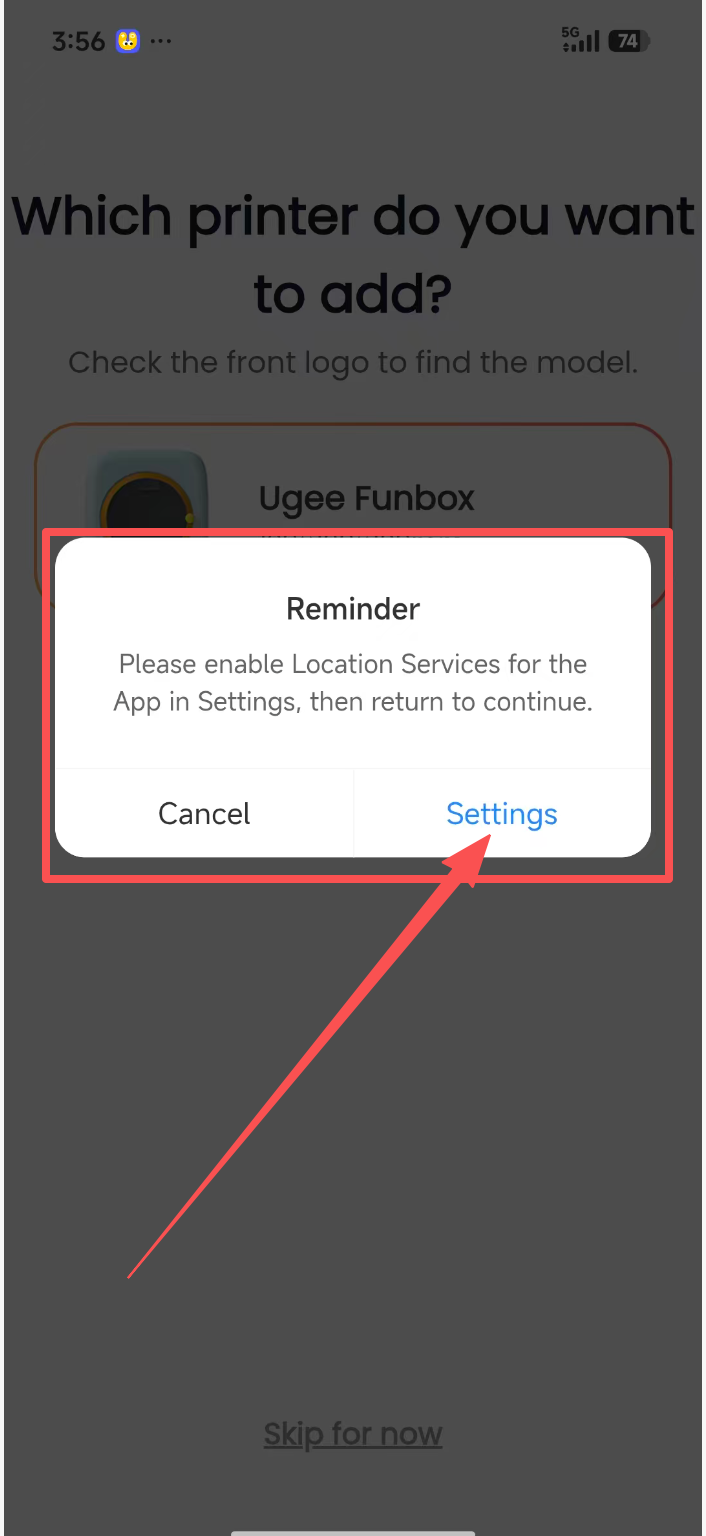
As shown, why does tapping Add Printer on mobile or tablet require access to my precise location?
Connecting to the printer hardware requires Wi-Fi. Precise location information is needed for the printer to find the corresponding home Wi-Fi network. Without this permission, the Wi-Fi network cannot be found.
1. Android location setup steps: Tap “Settings” in the location permission pop-up -> tap “Permission Management” -> tap “Location” -> select “Allow only while using the app” -> turn on “Precise Location” -> tap Back to return to the ugee Ufun app.
2. iOS location setup steps: In the pop-up asking whether “ugee Ufun” may join the “ugee Funbox” Wi-Fi network, tap “Join” -> go to Location in Settings, select “While Using the App,” and turn on Precise Location -> tap Back in the upper-left corner to return to the ugee Ufun app.
3. Android tablet: Tap “Settings” in the location permission pop-up -> tap “Permission Management” -> tap “Location” -> select “Allow only while using the app” -> turn on “Precise Location” -> tap Back to return to the ugee Ufun HD app.
4. iPad: In the pop-up asking whether “ugee Ufun” may join the “ugee Funbox” Wi-Fi network, tap “Join” -> go to Location in Settings, select “While Using the App,” and turn on Precise Location -> tap Back in the upper-left corner to return to the ugee Ufun HD app.
Choisir votre région et pays
North America
South America
Oceania
Europe