






Recherche rapide
Tablette à dessin numérique
Moniteur de dessin
Imprimante 3D
Language
Choisir votre région et pays
North America
South America
Oceania
Europe
Recherche rapide
Tablette à dessin numérique
Moniteur de dessin
Imprimante 3D
Choisir votre région et pays
North America
South America
Oceania
Europe
How to fix layer shifting or layer stacking?
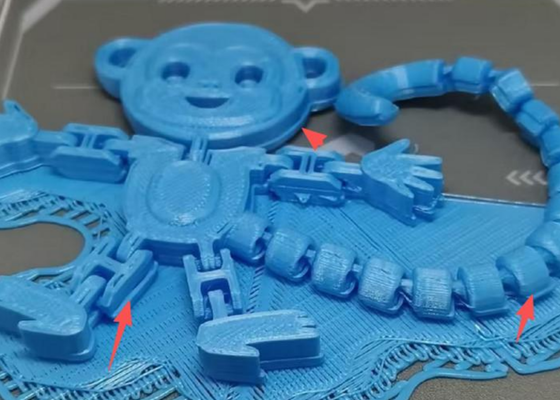
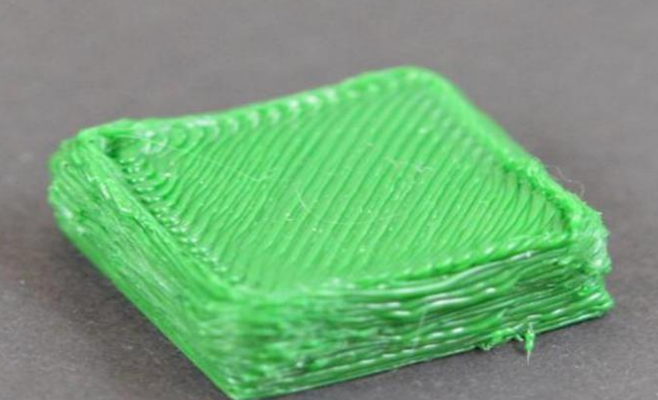
1. Printing speed too high: Refer to the User Manual Section 3.1.2 Advanced Printing to reduce print speed. In Standard mode, the default speed is 300 mm/s — try reducing by 10–20 mm/s and observe.
2. Over-extrusion: If adjusting speed doesn't help and layer stacking remains severe, reset the parameters as follows:
a. Refer to the User Manual Section 3.1.2 Advanced Printing, go to the print settings page, and tap "Restore Defaults" to reset to factory parameters.
b. Refer to the User Manual Section 3.3.1 Calibration and Leveling and re-run calibration and leveling.
Choisir votre région et pays
North America
South America
Oceania
Europe