


빠른 조회
디지털 드로잉 태블릿
드로잉 모니터
태블릿 PC
국가 / 지역을 선택하십시오
North America
South America
Oceania
Europe
빠른 조회
디지털 드로잉 태블릿
드로잉 모니터
태블릿 PC
국가 / 지역을 선택하십시오
North America
South America
Oceania
Europe
Why can't I connect the printer using the PC app first?
Connecting the printer using the PC app is prone to failure due to the diversity of system versions. Therefore, during development, we removed the "Add Printer" button from the PC version. Currently, you must first connect the printer using the mobile or tablet app, then ensure the PC's WiFi and the printer's WiFi are on the same network to complete the pairing connection between the PC and the printer
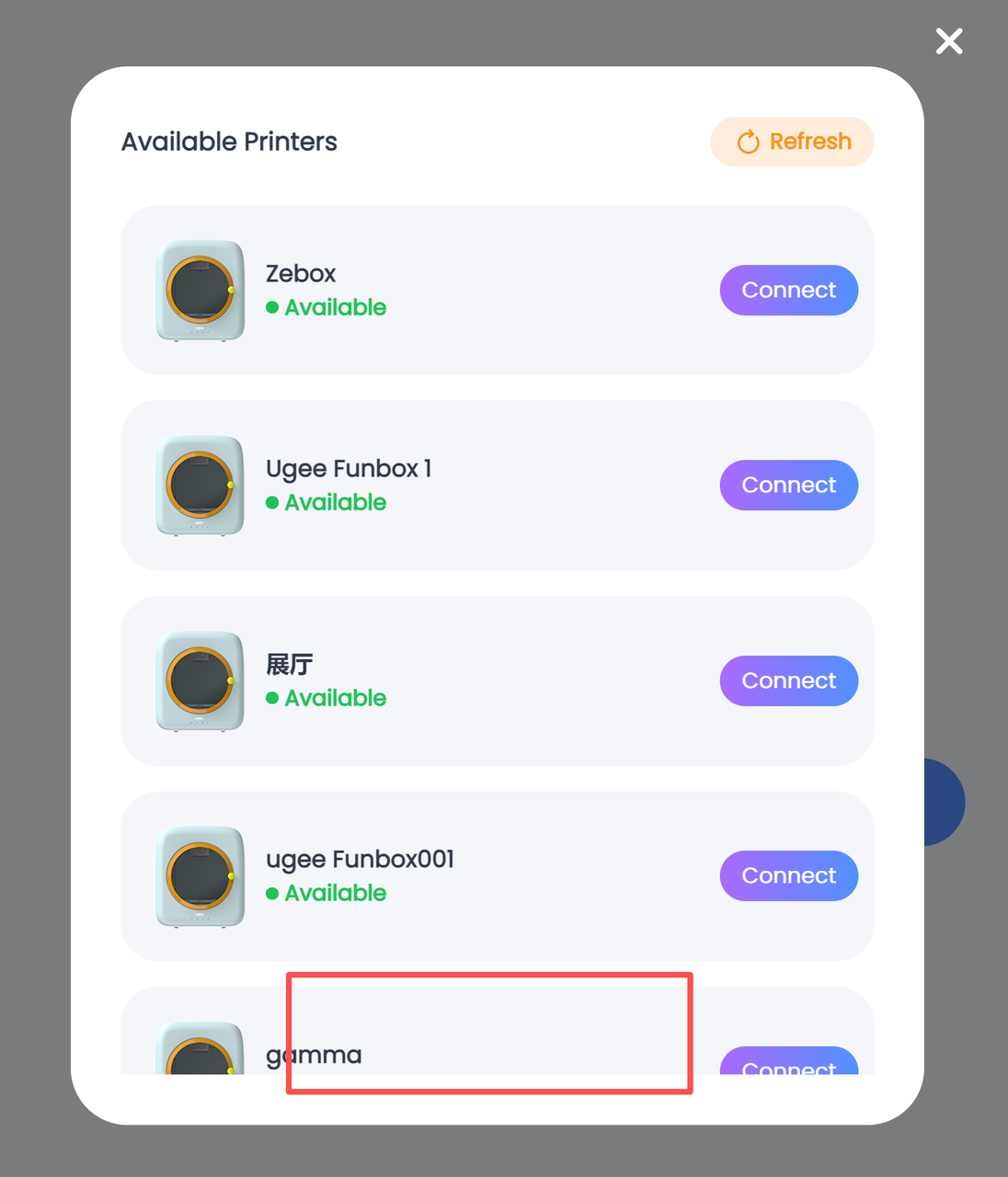
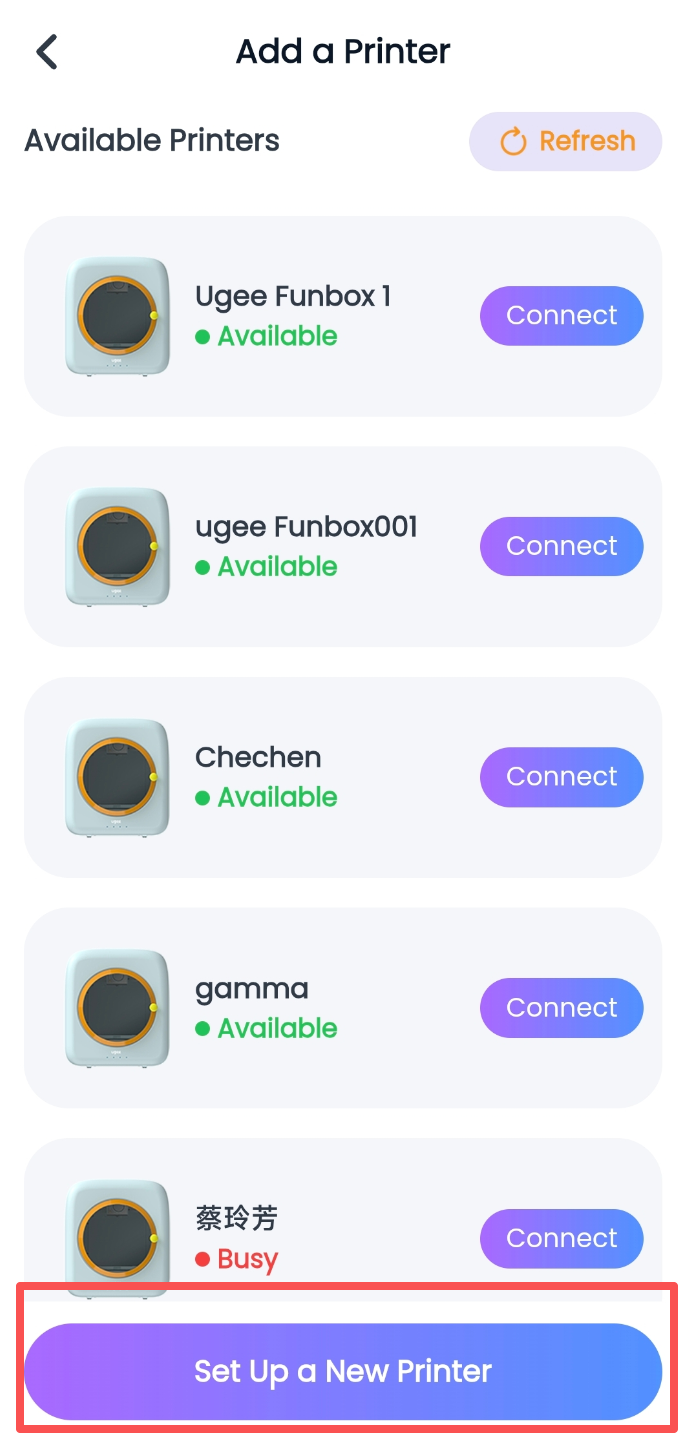
Step 1: First connect the printer using your phone or tablet by following the printer connection pairing process, and wait for the connection to succeed;
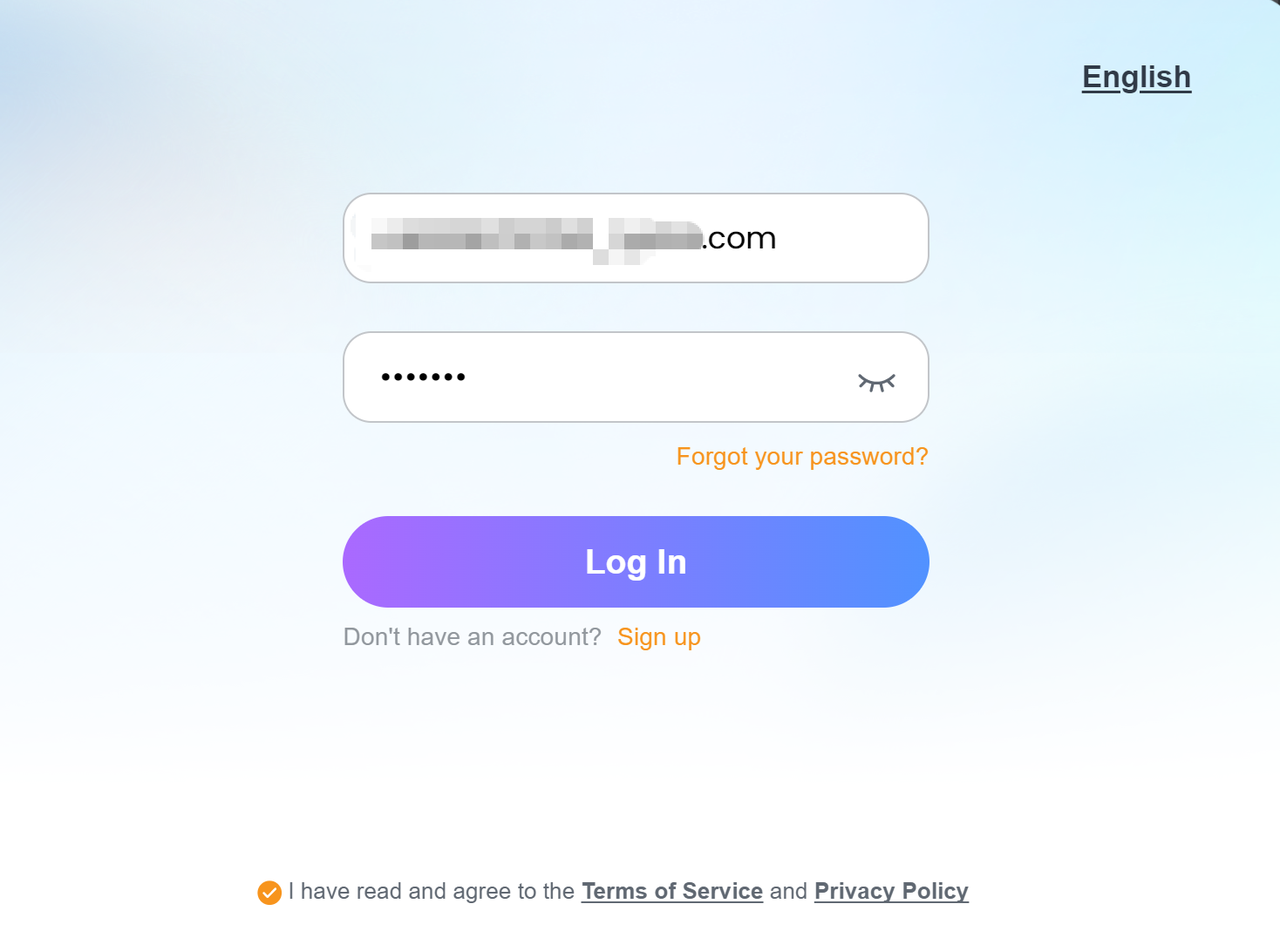
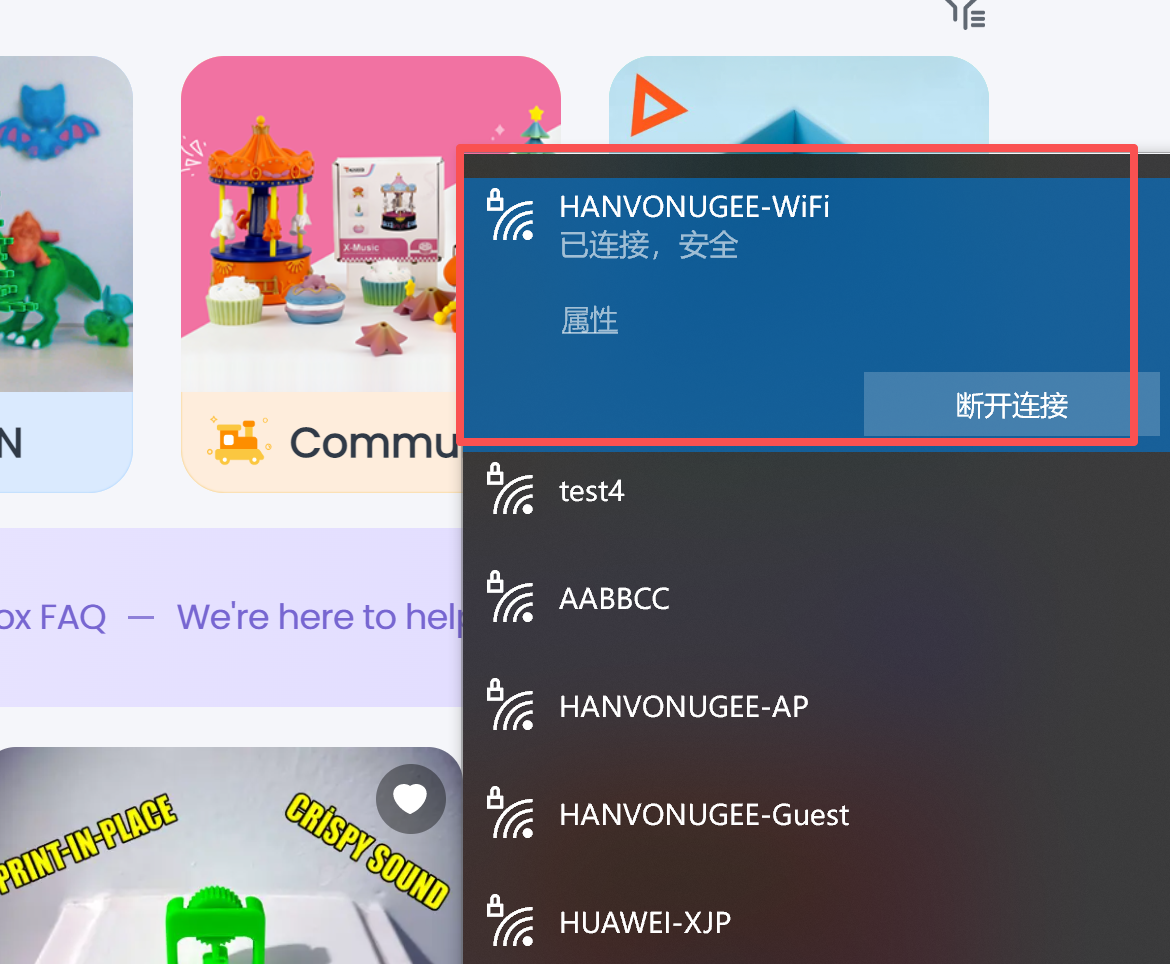
Step 2: Log in to the PC version with your account and password, and connect to the same WiFi that your phone or tablet is connected to;
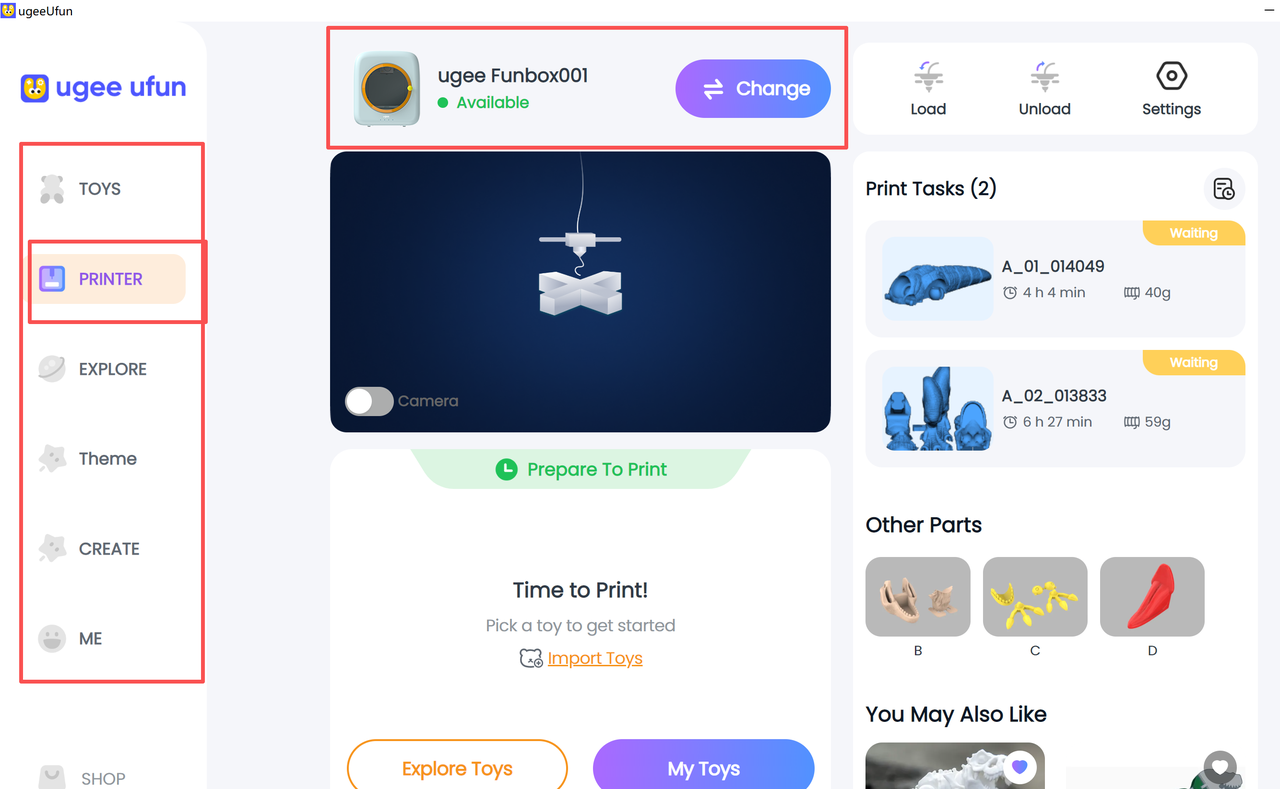
Step 3: Click the Printer/Device button on the left side of the PC version to display the connected printer information;
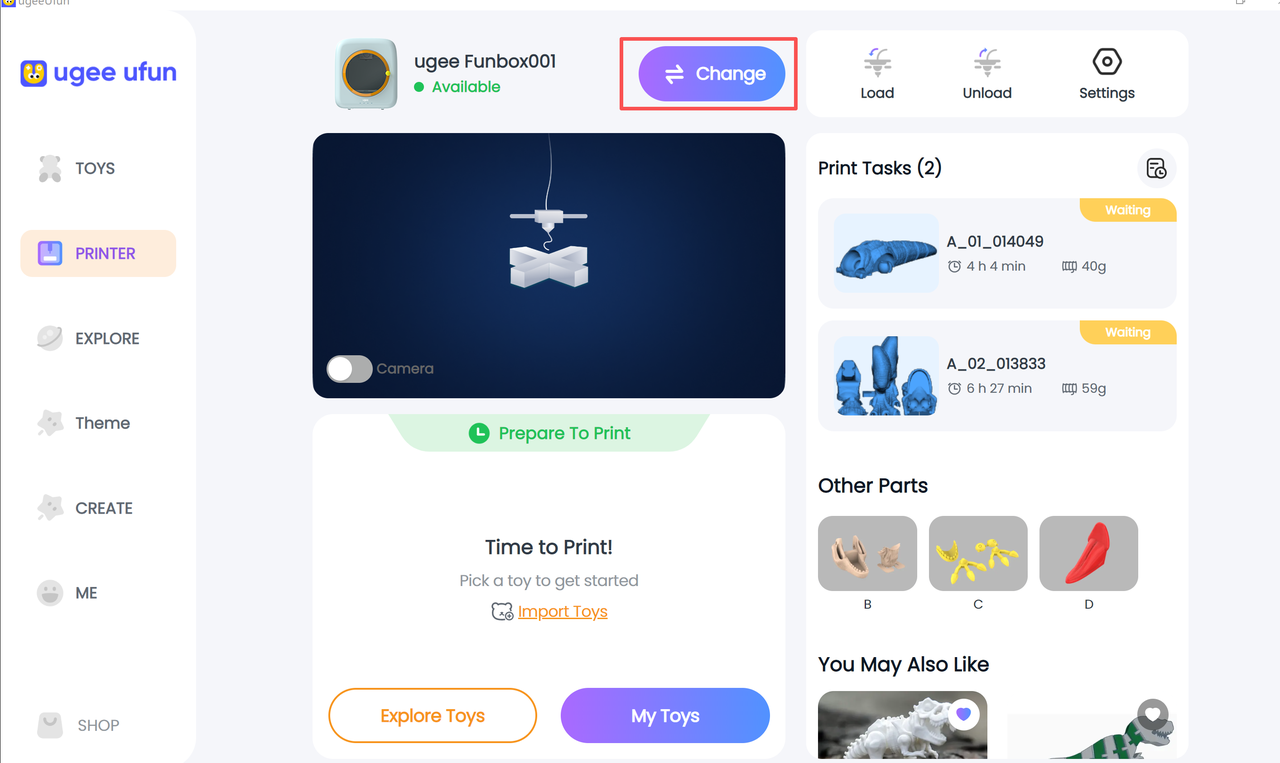
Step 4: If it doesn't appear, you can tap the switch button to search for printer devices.
국가 / 지역을 선택하십시오
North America
South America
Oceania
Europe