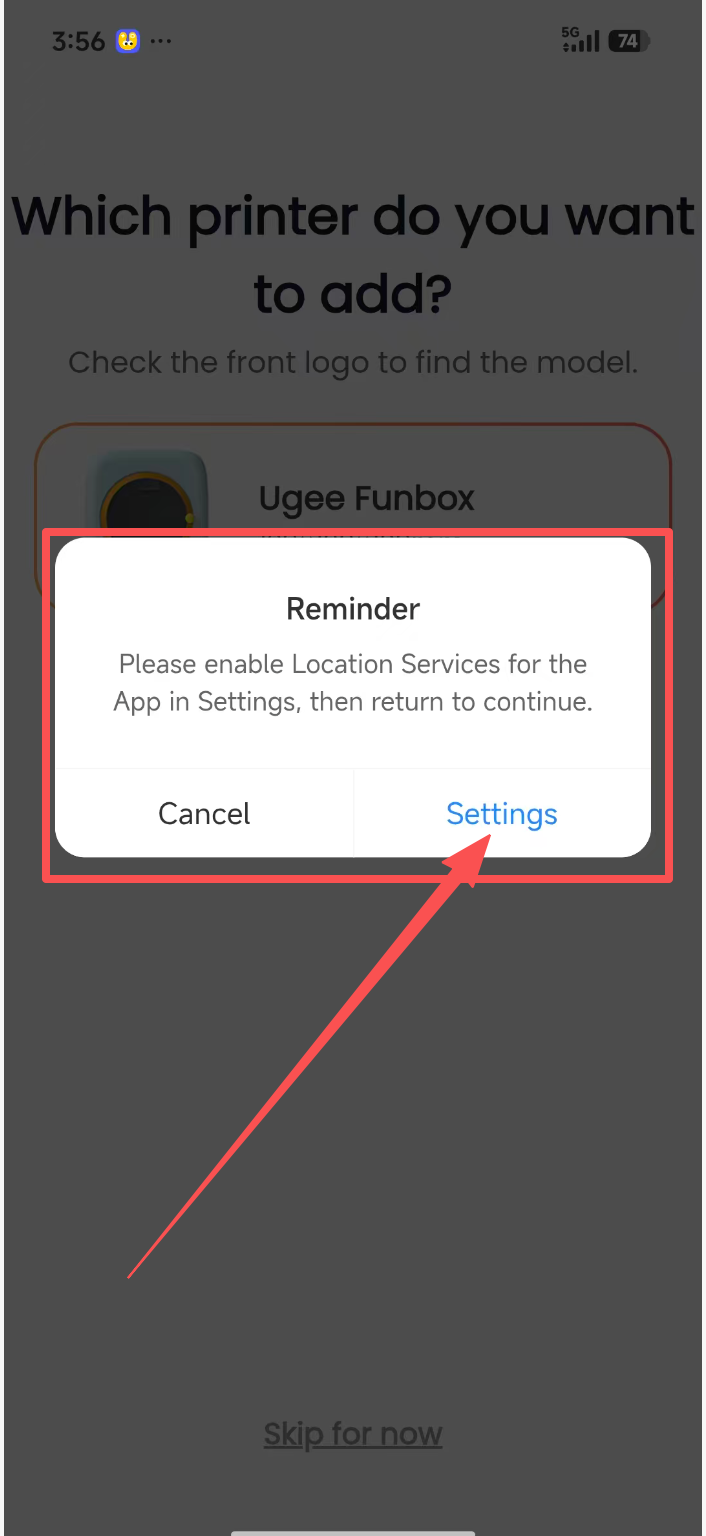
As shown, why does tapping Add Printer on mobile or tablet require access to my precise location?
Connecting to the printer hardware requires Wi-Fi. Precise location information is needed for the printer to find the corresponding home Wi-Fi network. Without this permission, the Wi-Fi network cannot be found.
1. Android location setup steps: Tap “Settings” in the location permission pop-up -> tap “Permission Management” -> tap “Location” -> select “Allow only while using the app” -> turn on “Precise Location” -> tap Back to return to the ugee Ufun app.
2. iOS location setup steps: In the pop-up asking whether “ugee Ufun” may join the “ugee Funbox” Wi-Fi network, tap “Join” -> go to Location in Settings, select “While Using the App,” and turn on Precise Location -> tap Back in the upper-left corner to return to the ugee Ufun app.
3. Android tablet: Tap “Settings” in the location permission pop-up -> tap “Permission Management” -> tap “Location” -> select “Allow only while using the app” -> turn on “Precise Location” -> tap Back to return to the ugee Ufun HD app.
4. iPad: In the pop-up asking whether “ugee Ufun” may join the “ugee Funbox” Wi-Fi network, tap “Join” -> go to Location in Settings, select “While Using the App,” and turn on Precise Location -> tap Back in the upper-left corner to return to the ugee Ufun HD app.